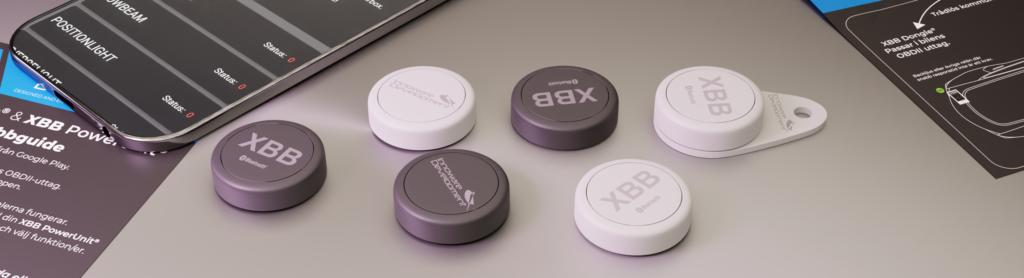
Control your lighting or connected equipment with a wireless push button. It talks to your XBB Dongle over Bluetooth, so you avoid cutting into wiring to fit a conventional wired switch.
The push button can be programmed to either activate or deactivate output 1 & 2 on your XBB PowerUnit's. That way you can have several functions in the same button.
Here follows a few example how the XBB Smart Button can be used.
- Deactivate your auxiliary lights even though your high beam is on. For example when driving in heavy snowfall.
- Activate the working lights/reverse lights without putting the gearbox in reverse mode or even being inside the vehicle.
- Switch off the Halo/DRL function in you auxiliary light.
- You can even use the XBB Smart Button without installing a recipe in your XBB Dongle.
That way you can use the installation without having a correct recipe for your vehicle.
Quick guide
Install XBB Smart button with your XBB Configurator app.
- Start the app XBB Configurator. (Available on Google Play or App Store.)
- Use your phone to connect to the XBB Dongle.
- Choose PowerUnit and then press
 to add a new unit.
 - Click on Add new XBB Button, XBB Dongle starts to search for new devices.
- Press 1 time on your XBB Smart Button and then the Button shows up in your app you click OK.
- Click on Preference
 on your PowerUnit.
 - Choose what you want to happen if you press one time or if you double press the button. Save your settings.
- Make sure to test all functions before finishing the installation. Good Luck!
Good to know
- Note! Use only XBB Configurator to connect to the Smart Button.
- You can only connect 1 Smart Button to your XBB Dongle.
- If you add one Smart Button you can only add two XBB PowerUnit's instead of three.
- Hold down the XBB Smart Button for 2 seconds to cancel any previous keystrokes if you're unsure whether a function is activated or not.
- To change battery (CR2032), attache the XBB Smart Button to a surface and twist the button counterclockwise to open it up.
- The XBB Smart Button is NOT water proof.
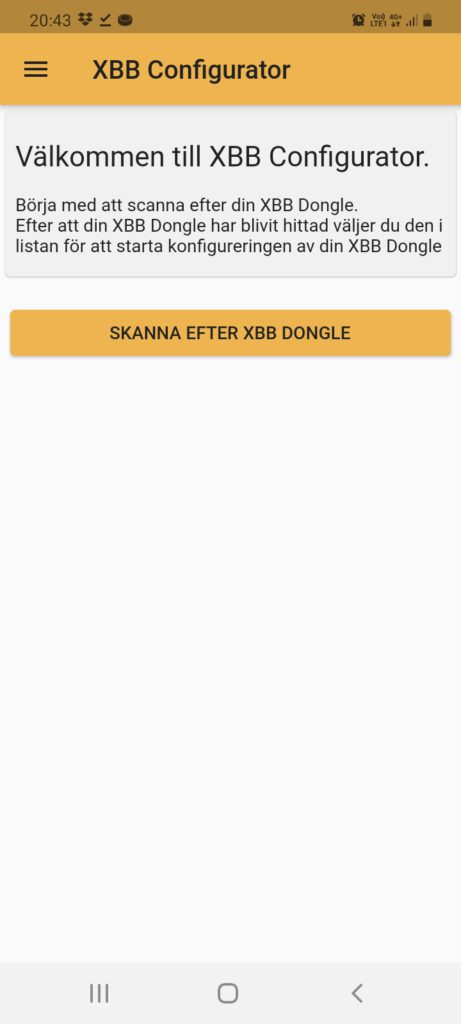
If your XBB Dongle doesn't show up i the app you may need to disconnect it from the OBDII port for a couple off seconds.
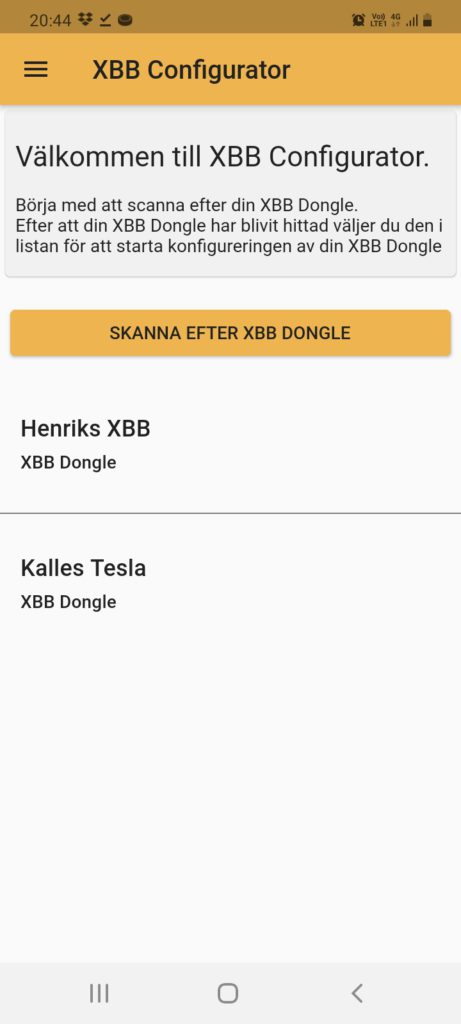

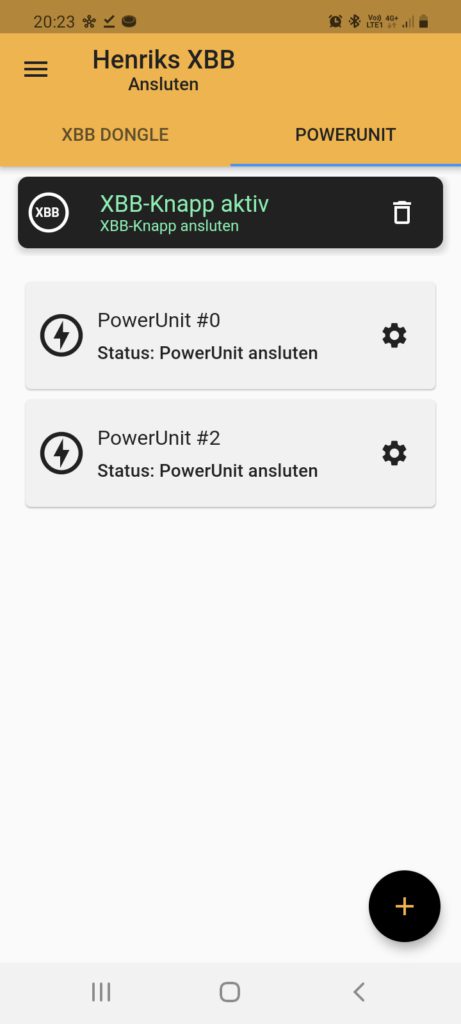
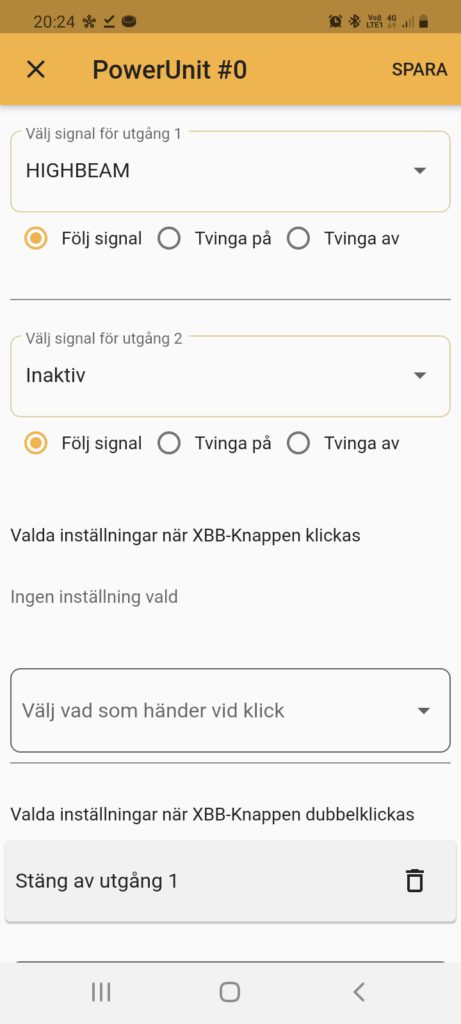
With this settings the auxiliary light connected to Output 1 will be deactivated if you double press the XBB Smart Button.
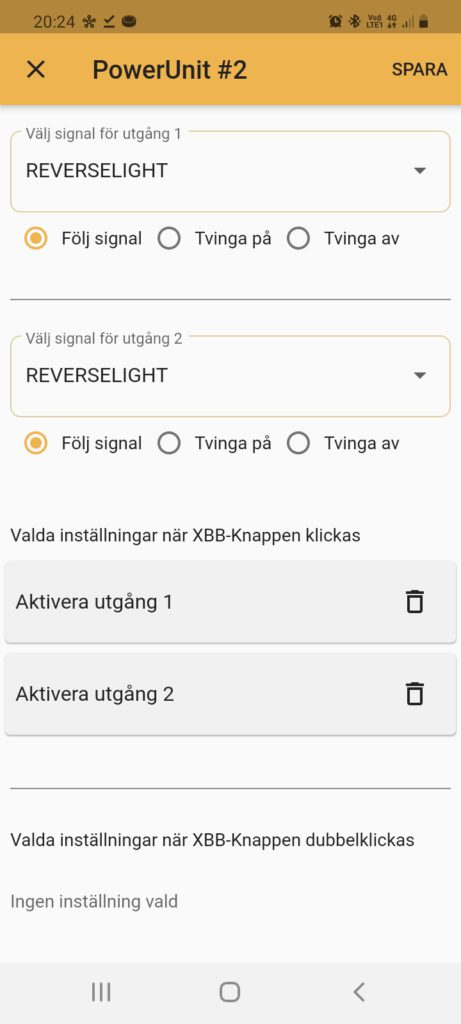
In this example the reverse light connected to Output 1 & 2 will be activated if you press the XBB Smart Button once.
 English
  Svenska