FAQ
Most of what comes up around the XBB system is something someone else has already wondered about. Here are the answers to the questions we get most often, about recipes, installation, fault tracing and the app.
To the searchFrequently asked questions
Here you find the answers to the questions we get most often. Click a question to unfold the answer. If you cannot find what you are looking for, use the support function in the XBB Configurator app. That is where you get help fastest.
Recipes and compatibility
What is a recipe?
A recipe is software adapted to a specific car model. It holds the signals needed to control your lighting.
Which signals are available in the recipes?
Which signals are included varies between recipes, but these are usually there and can be used to control your XBB PowerUnit®:
- IGNITION, the ignition is on.
- HIGHBEAM, the high beam is on.
- REVERSELIGHT, reverse is engaged and the reversing light is on.
- POSITIONLIGHT, the position light is on.
- SYSTEM_ACTIVE, the car is awake. Used to check that the system goes to sleep when the car is locked.
Which signals exist for your own car is shown in the app plus in the recipe description under Compatible car models.
Why can I not find my car in the list of compatible car models?
If your car is not in the list it can still work. Many manufacturers share technology, which means some recipes work on more models than the name suggests. Try it by connecting an XBB Dongle® and testing different recipes. Check that SYSTEM_ACTIVE turns red when the car is locked, if that signal is part of the recipe.
See also the related question Does the XBB system work on my car?
How do I know which recipes to try?
Your best chance of finding a working recipe is to test recipes from car models built on the same platform with a similar high beam.
A good tip is to look up your car model on the English Wikipedia and read which platform it is built on. The article about the platform usually lists the other models that share it.
Can a new recipe be created, and does it work on every car?
Yes, new recipes can be created. It is called a recipe read-out and means that we test the car on site with us in Sala, Sweden. The visit usually takes between 30 and 120 minutes. Do note that we cannot guarantee the function before the car has been tested. You can book a time here on the website, under the menu Compatible car models.
Not every car can be read out, though. In practice we can only create recipes for vehicles that support modern diagnostic standards. As a rule of thumb that means cars from about 2010 onwards. Older vehicles often lack the technology needed to read out the signals we need.
Does the XBB system work on my car?
Cars are complex and differ between models. The only definitive answer is therefore to test an XBB Dongle® in your car. Start by checking our list of compatible car models.
Does XBB Dongle® work on cars with LED Matrix and automatic dipping?
Yes, it works. The recipe has to be made for adaptive high beam, which is stated in the recipe description.
Powerful auxiliary lights or a powerful LED bar make road signs reflect a lot of light back. The car may then want to switch the high beam off or redirect it. The output on XBB PowerUnit® is then switched off as well.
The camera system of the car only sees as far as the original lighting reaches. If you fit auxiliary lights that shine further than that, the risk of dazzling other road users goes up.
I do not know which type of high beam my car has?
Contact your brand workshop and give them the registration number. They should be able to find which type of headlights you have. You can also try car.info and see what it says there.
Safety and approval
Is XBB Dongle® safe to use in the car?
XBB Dongle® is developed to be completely safe to use. It only sends standardised requests according to the applicable vehicle standard, and the car answers with the information meant to be shared. The Dongle cannot change settings, affect functions or write anything back into the car.
It works within the safety frame of the car itself and uses methods the car manufacturers build their own systems around. We test and update our solutions continuously, to make sure use stays stable and safe on new car models.
Is XBB Dongle® approved for my car?
Yes. XBB Dongle® connects through the diagnostic socket of the car and only uses standardised, permitted methods of communication that every modern car supports. There is therefore nothing stopping you from using it in your car, as long as a compatible recipe exists or can be created.
More on what the Dongle does and does not do in the car is under Is XBB Dongle® safe to use in the car?
Does XBB Dongle® have to stay in the diagnostic socket all the time?
Yes. It continuously reads the status of the car, for example the high beam, and controls XBB PowerUnit® from that.
Installation and use
Where do I take the power for XBB PowerUnit® from?
If you can, connect straight to the car battery. Many modern cars have a current monitor on the battery, though. Connect after the monitor then, not between the monitor and the battery terminal.
If you connect on the battery terminal, the car does not account for the extra lighting. The battery is then not charged enough and can be drained when you drive with the auxiliary lights on.
In the clip Trouble with a flat car battery? Kalle goes through what a BMS sensor is. More clips are among our videos.
Why is my lighting on constantly?
If the lighting comes on as soon as XBB PowerUnit® gets power, the wires on pin 2 (positive) and one of the outputs are the wrong way round. The positive of the battery goes to pin 2 and the lighting to pin 5 or pin 8. Done the other way round, it stays on constantly.
I measure about 12 V on the outputs although they are not activated, is that a fault?
No, that is how it should be. It is a weak monitoring current used to detect short circuits and similar on the outputs.
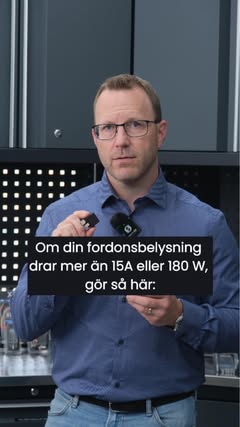
My auxiliary lights draw more than the 15 A that XBB PowerUnit® handles, can I still use the system?
Yes, that is fine. In those cases you wire the lighting through an external relay that is only activated by a signal from XBB PowerUnit®. See our wiring examples.
In the clip More than 15 amps? Wire XBB PowerUnit® with an external relay we show how the wiring is done.
Do I need a CAN bus interface for my car, or is XBB Dongle® enough?
XBB Dongle® reads the CAN bus system, but in a way that makes the job considerably easier for you. You do not have to touch the wiring of the car, so you risk neither wiring mistakes nor fault codes.
I have a Volvo but cannot get XBB Dongle® into the diagnostic socket?
The Volvo diagnostic socket differs from other makes, which makes the Dongle stiff to get in. It fits well in every other car model.
We have changed to a connector that fits the Volvo socket better. The problem is therefore solved on Dongles manufactured after 1 May 2022.
I want to be able to switch the LED bar off when it snows or in summer?
There are two ways. Either you add XBB Smart Button®, a wireless push button that controls the outputs.
Or you take XBB Dongle® out of the diagnostic socket, which switches the PowerUnit off. Put the Dongle back and everything works as usual after a few seconds. Turn the ignition off before you unplug and plug in the Dongle.
Fault tracing
My lighting flickers, blinks or stops working, what causes that?
The symptom decides the cause. Compare with the descriptions below.
The lighting flickers or goes out after a while. Provided the recipe works as it should, this is in the vast majority of cases down to the PowerUnit being overloaded. The app then shows the text Overloaded over the outputs.
The overload usually has one of two causes:
- The lighting draws more current than the output handles.
- The wires are too thin. That gives a voltage drop, which in turn increases the current.
The outputs have a recommended maximum current of 15 A and 5 A respectively.
When the current gets too high, the PowerUnit switches the output off automatically to protect itself. If the internal temperature reaches a critical level, the lighting goes out and comes back on once the temperature has fallen. With a heavy or recurring overload that happens repeatedly, which is experienced as flickering. The solution is to wire the lighting through a separate relay that only gets a control signal from the PowerUnit, see our wiring examples.
The lighting works but blinks now and then. The cause is then usually in the recipe. Our way of designing the recipes keeps developing. Try removing your existing recipe and installing it again, and check at the same time whether there is a newer variant for your car.
The lighting does not work at all any more. Try unplugging XBB Dongle® from the diagnostic socket and putting it back. Take the chance to update the firmware and the recipe as well, since we work on improving the system and fixing bugs all the time.
Why is there a delay when my auxiliary lights switch on and off?
A delay is usually down to the car sending data slowly, or to the recipe needing adjustment. Some cases can be solved remotely, others require us to test a car with the same light configuration. Normally there should be no noticeable delay.
Why have I got a fault code in my car?
The first step is to read the fault codes and understand what they mean. Not every fault code is an actual fault. Some are only information, for example that a diagnostic unit is connected.
Common causes are low battery voltage or the battery having been disconnected. Another cause is a broken or badly chosen ground point. If a sensor shares its ground with the connected lighting, it can be disturbed and set a fault code.
The car has got fault codes in connection with the installation, why?
The most common cause is the car battery having been disconnected during the installation, which can generate all sorts of error messages. They usually disappear after a few kilometres of driving.
Another cause is XBB PowerUnit® or the lighting having been connected straight to the negative terminal of the battery. The BMS sensor of the car then does not sense the new load, the alternator does not charge the battery enough, the battery voltage slowly drops and error messages can appear.
The solution is to ground the lighting, the PowerUnit and other retrofitted equipment in a proper ground point in the chassis, not straight on the battery.
Can the Dongle drain my car battery?
It can happen if the chosen recipe is not compatible with your car. Do follow our installation guide. Then check that SYSTEM_ACTIVE turns red once you have switched the car off, stepped out and locked it.
Why do I have to unplug and plug in the Dongle for the auxiliary lights to work?
Normally you should not have to. The Dongle holds an accelerometer that senses vibration. When the Dongle detects movement it wakes automatically and the system starts as it should.
During installation or fault tracing it is common for the Dongle to go to sleep, though. It does not detect enough movement from a door opening, a door closing or an engine start.
If you use an adapter or a Y harness it is extra important that the Dongle is mounted firmly against a solid surface. Sitting loose, it is cushioned from the vibration and the accelerometer does not register the movement correctly.
Why do my auxiliary lights not work after a workshop visit or a service?
Start by checking that XBB Dongle® is properly connected in the diagnostic socket of the car. Then check in the app that the chosen recipe and its signals still work as intended.
If the workshop has updated the software of the car, that can in some cases affect how the XBB system works. After such an update, a new or updated recipe may have to be installed.
I have had the car inspected and now my LED bar does not work?
The inspector has probably taken XBB Dongle® out of the diagnostic socket during the inspection. Put it back and the system starts again.
The app and the software
Why can I not find my Dongle in the app?
The Dongle is visible to the phone for ten minutes after you close the app. After that it is no longer visible. To connect again you have to unplug it from the OBD2 socket and put it back.
If you want it always visible to the phone, go to the settings of the Dongle (the cogwheel) and choose Pair with Dongle.
Why can I not find my XBB PowerUnit® in the app?
Some relay harnesses do not follow the industry standard ISO 7588-1 and can have the negative on the wrong pin. Check that the negative goes to pin 6 (GND).
Holding the unit with the logo towards you, the left pin should be GND. Follow the wire in the relay kit and make sure it is grounded in the chassis of the car.
On most relay harnesses the pins are easy to swap. The clips Changing pins in the relay harness and Checking your relay harness show how it is done.
My Pixel phone says Wrong PIN or Incorrect passkey when I try to pair XBB Dongle®, why?
There is nothing wrong with the Dongle. It is a known problem on some Pixel phones. The product works as it should on other Android phones and on iPhone. Several Pixel owners have reported the same thing in the Google forums, about other Bluetooth products.
How do I update the software in the Dongle and the PowerUnit?
As a rule the app tells you when a software update is available and you are connected to a Dongle.
If you want to look for an update yourself, go to the settings of the Dongle or of the PowerUnit.
Why does nothing work after I updated the software?
When you update the firmware in XBB Dongle®, every setting is reset. You therefore have to choose the recipe again and add XBB PowerUnit® plus any XBB Smart Button® once more.
Tesla
Which XBB Dongle® do I need for my Tesla?
Since Tesla is a pure electric car, they do not have to follow the same standard as cars running on fossil fuel. On some models there is a diagnostic socket at the driver seat, but the data there is not enough to control the lighting. A special harness is then needed to connect the Dongle somewhere else in the car.
Model S and X, 2012 to 2021. Here the right data is in the diagnostic socket, but Tesla has placed the pins for the data communication, CAN-H and CAN-L, on other pins than every other car model. A Dongle adapted for these models is therefore needed. You recognise it by the box, which is red and black instead of blue and black. The Dongle itself looks the same as the standard variant, apart from a label on the top.
Other Tesla models. They take the standard variant in the blue and black box.
Where is XBB Dongle® connected on a Tesla Model Y?
The placement depends on the model year of the car. What they have in common is that the Dongle cannot be connected to the diagnostic socket, since the CAN bus information needed is not there.
On a Model Y manufactured in early 2023 or earlier, the Dongle is connected between the front seats, under the ventilation unit for the rear seat. A plastic cover has to be removed and behind it is a blue connector that is to be separated. A branch cable is connected between the two blue connectors.
For model years from the third quarter of 2023 onwards, the blue connector sits on the side of the centre console instead, just to the right of the driver legs. The felt mat has to be removed and behind it is a wiring harness. Here too a branch cable is needed between the original connectors of the car.
The cable is available from some of our resellers and from companies specialising in Tesla accessories. We do not manufacture or sell it ourselves.
I have a Tesla Model 3 or Y and need a special cable, can I buy it from you?
It is true that a special cable is needed, but it is not something we sell. The cable creates a new OBD2 connector, since the one in the driver footwell does not hold the CAN bus information XBB Dongle® needs.
You find more information about which type of cable is required on the various Tesla forums. Some resellers also have ready made kits with a Dongle and a cable, so do have a look there.
Contact and support
How do I get in touch with you?
Use the support function in the XBB Configurator app first of all. It automatically sends all the relevant information along with your question, which gives you the fastest and most accurate help.
Secondly, support questions go through our resellers. If they cannot solve the case, we take over. All communication is in writing, so that nothing falls between the cracks.
You find our resellers here plus our contact details at the bottom of the page.
Where do I find the nearest reseller?
We have a map of resellers and installers where you can search and filter.
XBB and compatible car models
Thinking about using XBB products? Have a look through our compatible car models to see whether we have a recipe that fits your car.
Want to know more, or do you have a question? Have a look in our FAQ to see whether it is already answered there.