XBB Smart Button®
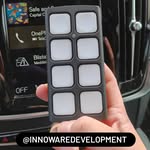
A wireless push button that controls the outputs on your XBB PowerUnit®. It talks to XBB Dongle® over Bluetooth, so nothing has to be cut into the wiring and no switch has to be fitted.
Read moreXBB Smart Button® in short
A button with no cabling
XBB Smart Button® talks to XBB Dongle® over Bluetooth. No cable has to be run to the driver’s seat, no traditional switch has to be fitted, so nothing is cut into the original wiring of the car.
What the button can control
The button is programmed to switch outputs 1 and 2 on connected XBB PowerUnit® on or off. One press can do one thing while two presses do another, so the same button covers several functions.
Examples of use
A few examples of what the button can do:
- Switch off auxiliary lights or an LED bar in falling snow, even with the high beam on.
- Turn on reversing lights or work lighting without engaging reverse, or even sitting in the car.
- Switch off the halo or daytime running light function in the lighting.
Works without a recipe too
The button needs no recipe loaded in XBB Dongle®. That lets you use the Dongle and PowerUnit on vehicles that are not yet in the recipe database as well, controlling the lighting by hand instead of from the vehicle signals.
Good to know
Only use the XBB Configurator app to connect to the button. One button at a time can be connected to the system, and with a button connected the system takes at most three XBB PowerUnit®. Holding the button for two seconds cancels any presses in progress, which helps when you are unsure whether a function was triggered. The battery is a CR2032 and is changed by turning the button anticlockwise against a firm surface. The button is not waterproof.
The user manual and safety information for XBB Smart Button®, in sixteen languages, are on the page Declaration of Conformity.
XBB and compatible car models
Thinking about using XBB products? Have a look through our compatible car models to see whether we have a recipe that fits your car.
Want to know more, or do you have a question? Have a look in our FAQ to see whether it is already answered there.